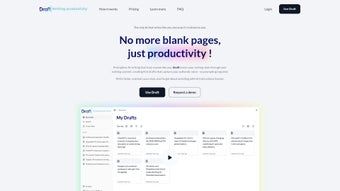

Download Draft.so – AI Writing Assistant for Personalized Drafts
Overview
Draft.so is a web‑based AI writing assistant that learns and mimics your unique writing style. Unlike generic AI generators that rely on long prompts, Draft.so analyzes the content you already own—examining structure, tone, vocabulary, and rhythm—to create a personalized model that produces drafts matching your voice. Whether you are a marketing professional, a novelist, a blogger, or a student, the tool lets you feed in brief notes or ideas and instantly receive a polished draft that feels like you wrote it yourself.
The platform also provides a distraction‑free workspace where you can fine‑tune the AI‑generated text, add personal touches, and ensure the final piece meets your standards. Security is baked in: every document is encrypted during upload, analysis, and storage, guaranteeing that your proprietary content remains confidential. With a subscription‑based pricing model, Draft.so offers regular updates, priority support, and a growing library of style presets, making it a compelling choice for anyone who wants to speed up writing without sacrificing authenticity.
Feature Set & AI Personalization
Draft.so’s standout feature is its ability to create a personal AI model based on your existing work. The system ingests up to 10,000 words of sample text, extracts linguistic patterns, and then uses a proprietary algorithm to generate drafts that align with those patterns. This approach reduces the need for exhaustive prompting and lets you focus on ideas rather than formatting. In addition to style replication, Draft.so offers a suite of tools that streamline the entire writing workflow—from ideation to final polishing.
- Style Learning Engine: Analyzes tone, sentence length, vocabulary density, and structural preferences.
- One‑Click Draft Generation: Turn bullet points or short notes into full‑length articles, emails, or reports.
- Distraction‑Free Workspace: Minimalist editor with dark/light mode, markdown support, and real‑time AI suggestions.
- Version History & Snapshots: Track changes, revert to earlier drafts, and compare AI suggestions side‑by‑side.
- Secure Cloud Storage: End‑to‑end encryption ensures your data stays private.
- Multi‑Language Support: Works with English, Spanish, French, German, and more.
- Integration Hooks: Connects with Google Docs, Notion, and popular CMS platforms via API.
- Custom Vocabulary: Upload industry‑specific glossaries to keep jargon consistent.
The platform is continuously updated; new features such as collaborative editing and AI‑driven SEO recommendations are rolled out monthly for subscribers. Because Draft.so runs entirely in the browser, you never need to install heavyweight software—just a modern web browser and an internet connection.
Installation, Usage & Compatibility
Getting started with Draft.so is intentionally frictionless. Since the application is web‑based, there is no traditional “installation” process—simply navigate to draft.so, create an account, and you’re ready to go. The onboarding wizard walks you through uploading a sample of your existing work (e.g., blog posts, reports, or chapters) so the AI can begin learning your style. This typically takes 5‑10 minutes, after which the model is ready to generate content.
Step‑by‑step usage guide:
- Sign up with your email or single‑sign‑on (Google, Microsoft).
- Upload up to 10,000 words of reference material; the system will automatically parse and analyze it.
- Enter a brief prompt, outline, or bullet list in the editor’s “Idea Box.”
- Click “Generate Draft.” The AI produces a full‑length piece that mirrors your style.
- Review the draft in the distraction‑free workspace; use inline suggestions to tweak tone or add personal anecdotes.
- Save, export (PDF, DOCX, Markdown), or publish directly to integrated platforms.
Because Draft.so runs in the cloud, it is compatible with any operating system that supports a modern browser—Windows 10/11, macOS Monterey and later, Linux distributions, as well as mobile browsers on Android 8+ and iOS 13+. The responsive design ensures a seamless experience on tablets and smartphones, though the full feature set (especially the style‑learning upload) works best on desktop browsers.
Subscription plans are billed monthly or annually, with a 14‑day free trial that gives you access to all premium features. Payment is processed securely via Stripe, and you can cancel at any time from your account dashboard.
Pros & Cons
Pros
- Highly personalized output that matches your unique voice.
- No need for lengthy prompts—simple notes are enough.
- End‑to‑end encryption keeps your data private.
- Distraction‑free editor enhances focus and productivity.
- Cross‑platform compatibility via any modern web browser.
- Regular updates and new features for subscribers.
- Integrations with popular productivity tools (Google Docs, Notion).
Cons
- Requires an internet connection; offline use is not supported.
- Learning curve for users unfamiliar with AI‑assisted writing.
- Subscription cost may be a barrier for occasional writers.
- Maximum of 10,000 words for initial style training may not capture very complex styles.
- Some advanced editing features (collaborative mode) are only available on higher‑tier plans.
Frequently Asked Questions
How does Draft.so learn my writing style?
Draft.so analyzes up to 10,000 words of your existing content, examining patterns in sentence length, vocabulary, tone, and structural elements. It then builds a personalized language model that generates drafts reflecting those patterns.
Is my data safe on Draft.so?
Yes. All uploads are encrypted in transit (TLS) and at rest (AES‑256). Draft.so does not share your content with third parties, and you can delete your data from the platform at any time.
Can I use Draft.so on my mobile device?
Absolutely. The web app is fully responsive and works on Android and iOS browsers. While the full style‑training upload works best on a desktop, you can generate and edit drafts on the go.
What subscription plans are available?
Draft.so offers a monthly plan at $15 USD per month and an annual plan at $150 USD (two months free). Both include unlimited draft generation, regular model updates, and priority support. A 14‑day free trial is available with full feature access.
Does Draft.so integrate with other writing tools?
Yes. Draft.so provides API endpoints and native connectors for Google Docs, Notion, WordPress, and popular CMS platforms, allowing you to push generated drafts directly into your existing workflow.
Conclusion – Streamline Your Writing with Draft.so
If you’re looking for an AI writing assistant that respects your voice instead of overwriting it, Draft.so stands out as a secure, versatile, and highly personalized solution. Its web‑based architecture means you can start writing from any device without the hassle of installations, while the style‑learning engine saves you hours of editing and re‑phrasing. Although the subscription cost may be a consideration for occasional users, the productivity gains—especially for professionals who churn out reports, marketing copy, or long‑form content—often outweigh the expense. Ready to experience a writing partner that truly gets you? Sign up for the free trial today and see how quickly Draft.so can turn your ideas into polished drafts that sound unmistakably yours.



.png)



